The Best Android Box for IPTV in Ireland
If your smart TV will not install the player you want, an Android box fixes it for far less than a new TV. It plugs into a spare HDMI port and gives that TV the full Google Play Store. Three boxes cover almost every budget, and we compare them below.
Why does my smart TV need an Android box for IPTV?
Lots of smart TVs run their own systems, such as Samsung Tizen, LG webOS, Hisense VIDAA or Roku. Their app stores are limited, so popular IPTV players are often missing. Older TVs can also struggle to load big channel lists and the TV guide smoothly.
An Android TV box fixes all three:
- More apps: the full Google Play Store, so you can install the IPTV player you like.
- More speed: a quicker processor and more memory for fast channel switching.
- Updates: regular Android and app updates, even when your TV no longer receives them.
What to look for in an Android box for IPTV
| Feature | What to check | Why it matters |
|---|---|---|
| System | Certified Google TV or Android TV | Play Store access and security updates |
| RAM | 2 GB minimum, 3 GB or more is better | Large playlists and the TV guide load faster |
| Storage | 8 GB minimum | Room for your IPTV player and other apps |
| Video | 4K HDR with HEVC (H.265) | Sharp 4K matches without stutter |
| Connection | Ethernet port or Wi-Fi 6 | Stable streams with less buffering |
| DRM | Widevine L1 | HD and 4K in Netflix, Prime Video and RTÉ Player |
The best Android boxes for IPTV in Ireland
1. Xiaomi TV Box S (2nd Gen): best budget box
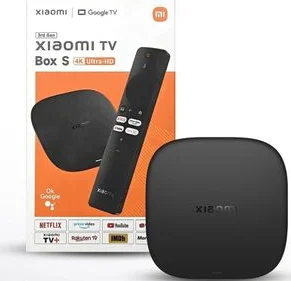
The cheapest certified Google TV box worth buying. Thanks to Widevine L1, Netflix and Prime Video play in full quality next to your IPTV player, all from the Play Store. Its 2 GB of RAM can feel a little slow with very large libraries, but it suits most homes.
Best for: a first Android box on a tight budget.
2. Amazon Fire TV Stick 4K (2nd Gen): best value stick
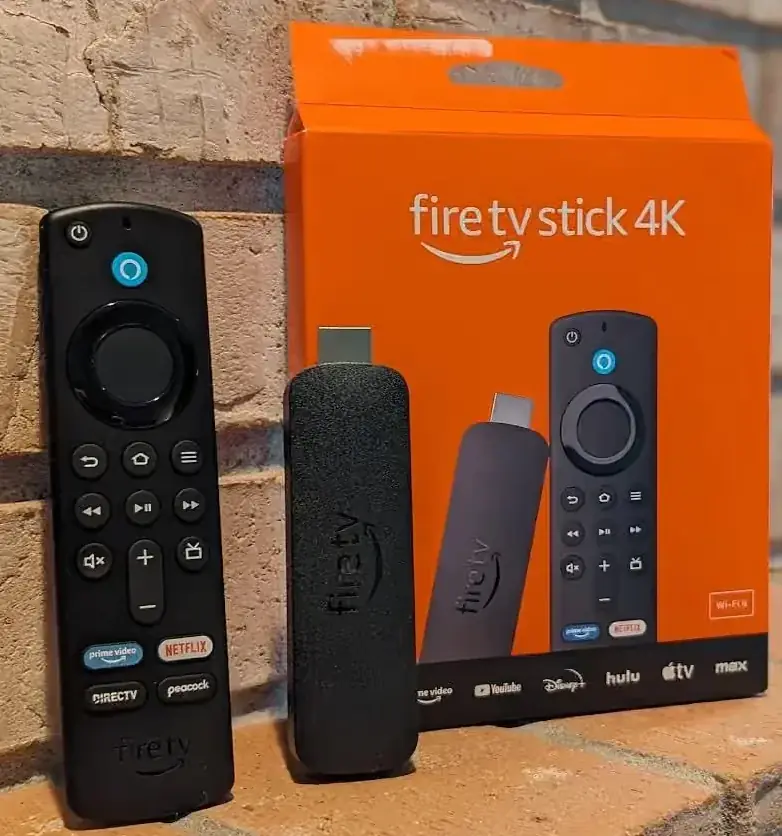
A slightly slimmed-down 4K Max: excellent 4K picture, Dolby Vision and 8 GB of storage, with Wi-Fi 6. If the router is not far from the TV, it is great value.
Keep in mind that Fire TV runs Amazon's Fire OS, which is built on Android but uses the Amazon Appstore instead of Google Play. Most IPTV players are added with Downloader; see our guide to installing TiviMate on Firestick.
Best for: a compact 4K stick at a low price.
3. Nvidia Shield TV Pro: best premium box
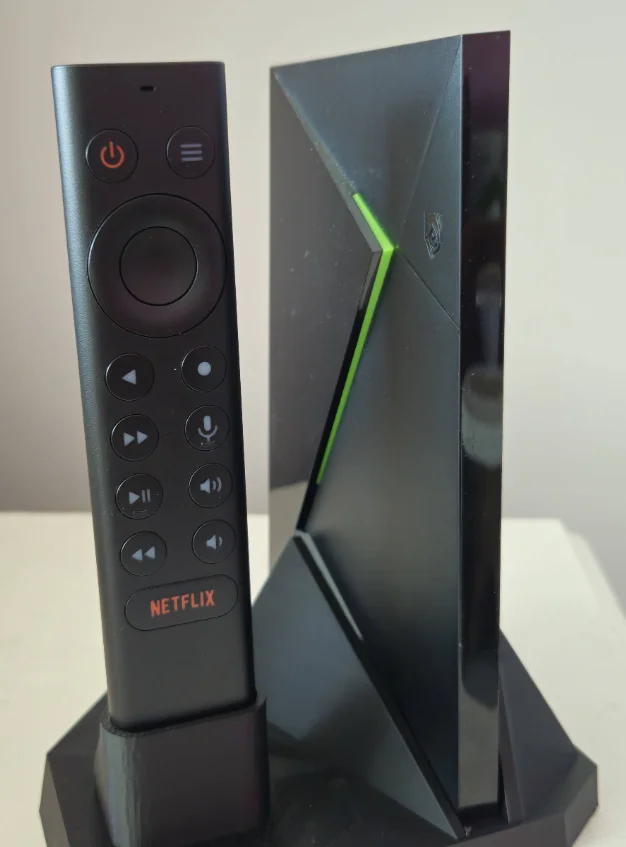
The most powerful and long-lasting Android TV box you can buy. It handles high-resolution streams with ease, supports Dolby Vision and Dolby Atmos, and has two USB 3.0 ports. Menus and channel changes stay smooth even with huge playlists. It costs more, but it lasts for years.
Best for: 4K fans and anyone who wants the smoothest IPTV experience.
Quick comparison
| Device | System | RAM | Storage | Best for |
|---|---|---|---|---|
| Xiaomi TV Box S (2nd Gen) | Google TV | 2 GB | 8 GB | Budget |
| Fire TV Stick 4K (2nd Gen) | Fire OS | 2 GB | 8 GB | Value 4K stick |
| Nvidia Shield TV Pro | Android TV | 3 GB | 16 GB | Performance |
Android box, Firestick or smart TV app?
A smart TV app is the simplest choice when your TV supports the player you need. A Firestick is cheap and small but tied to the Amazon Appstore. An Android TV box gives you the widest choice through Google Play, and premium models like the Shield offer the most power. For most Irish homes, an Android box is the most flexible IPTV device.
How to set up IPTV on an Android box
- Connect the box to the TV with HDMI and plug it in.
- Sign in with your Google account and install any updates.
- Open the Google Play Store and install your IPTV player.
- Enter your 4K Empire M3U link or Xtream Codes login.
- Use Ethernet if you can, especially for big match days.
Then pick a player: XCIPTV Player, IBO Player Pro or Hot Player.
So which one should you buy?
- For most homes: the Xiaomi TV Box S. Google Play, 4K and a fair price.
- If sport is the main event: the Nvidia Shield TV Pro. It has a gigabit network port and plenty of power for big matches.
- For a second TV: the Fire TV Stick 4K. It tucks in behind the set and suits a bedroom or kitchen.
Whichever you pick, run a cable to it if you possibly can. It is the single biggest upgrade for a steady picture.
Frequently asked questions
Do I need an Android box if I have a smart TV?
Only if your TV's app store does not offer the IPTV player you want, or the TV is too slow. Many Samsung, LG and Hisense owners add a box for this reason.
Is a Firestick an Android box?
Not exactly. Fire OS is built on Android but uses the Amazon Appstore, not Google Play, so the app choice is smaller.
How much RAM does an Android box need for IPTV?
2 GB works for most people. Choose 3 GB or more for large playlists with a full TV guide.
Which Android box is best for 4K IPTV?
The Nvidia Shield TV Pro is the strongest choice for 4K. The Fire TV Stick 4K (2nd Gen) is a good budget alternative.
Which box is best value?
For most people the Xiaomi TV Box S, while the Nvidia Shield TV Pro is the strongest choice for 4K and live sport.
Not sure your device is up to it?
Tell us on WhatsApp what you are watching on and we will say honestly whether it will cope. The 24-hour free trial lets you check for yourself. See the plans, from €9.99 a month.
Get a Free TrialKeep reading
How to Set Up IPTV on Android TV, Android Box and Phone
One simple method for every Android device: TV, box, phone or tablet. Ready in about 5 minutes.
Read the guide →
How to Watch IPTV on Apple TV, iPhone and iPad
No browser and no sideloading on Apple TV? No problem. Set it up from the App Store in 5 minutes.
Read the guide →
MAG Box Portal Setup: How to Add IPTV to a MAG Box
Add your IPTV portal to a MAG 322, 324, 420 or 524 in about 5 minutes, step by step.
Read the guide →