MAG Box Portal Setup: How to Add IPTV to a MAG Box
A MAG box does not use a username and password. It connects to a portal, and the portal recognises the box by its MAC address. That means the portal setup is really the only step, and it takes about five minutes.
Before you start: find your MAC address
To activate your subscription, 4K Empire needs your box's MAC address. It's printed on the sticker underneath the box, and you can also see it in Settings › System settings › Device info. On MAG boxes it always starts with 00:1A:79.
Send it to us on WhatsApp and you'll receive your portal URL. That's the only thing you need. These steps work on popular models like the MAG 322, MAG 324, MAG 420 and MAG 524; on older software the menus may look a little different.
How to add your IPTV portal
Step 1: Open Settings
After the box starts, you'll see the main menu. Choose Settings, or press SETUP/SET on the remote.
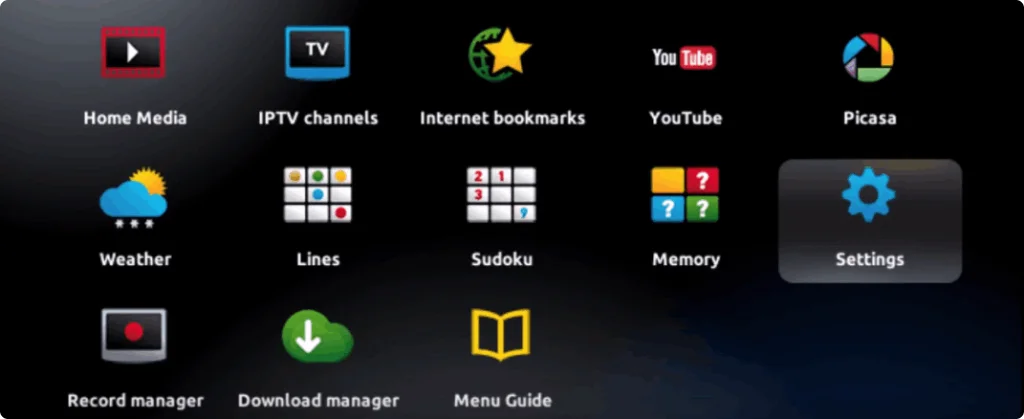
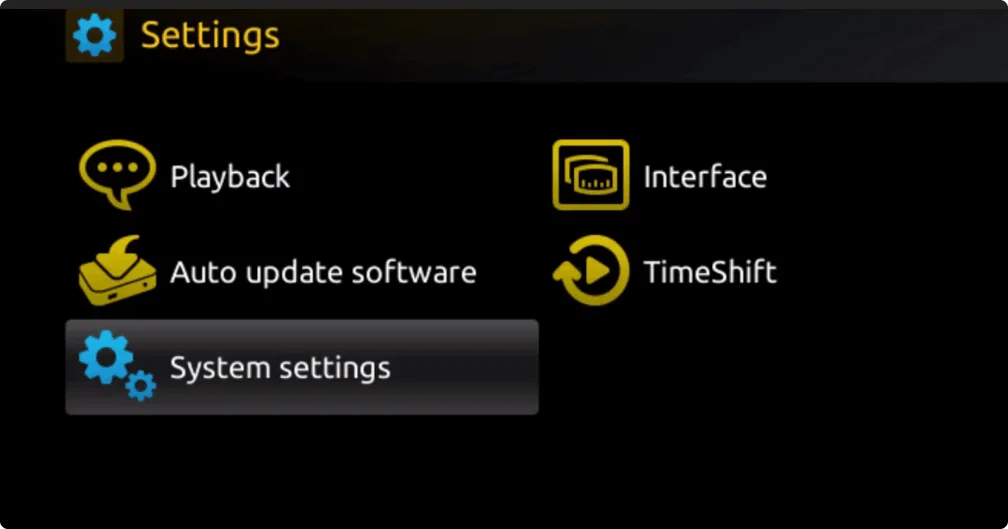
Step 2: Go to System settings
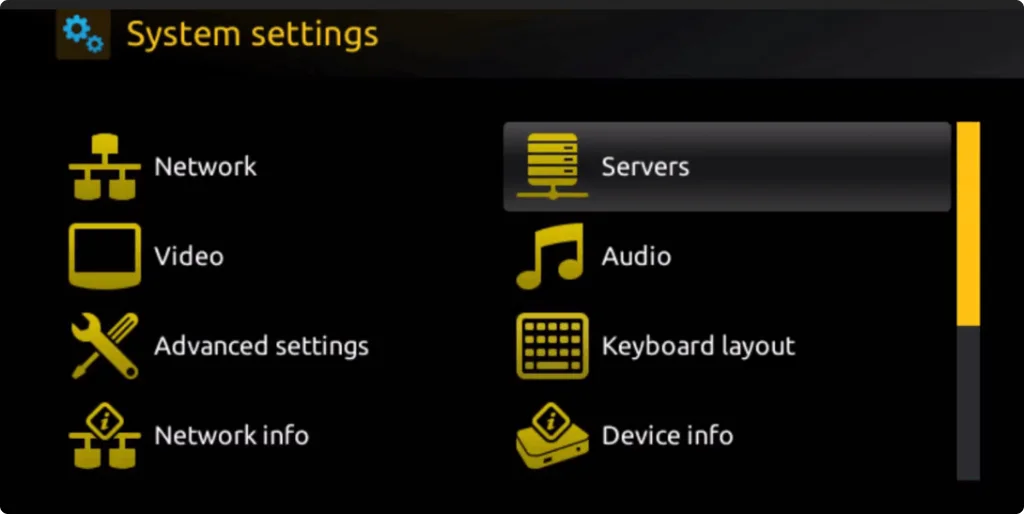
Step 3: Choose Servers
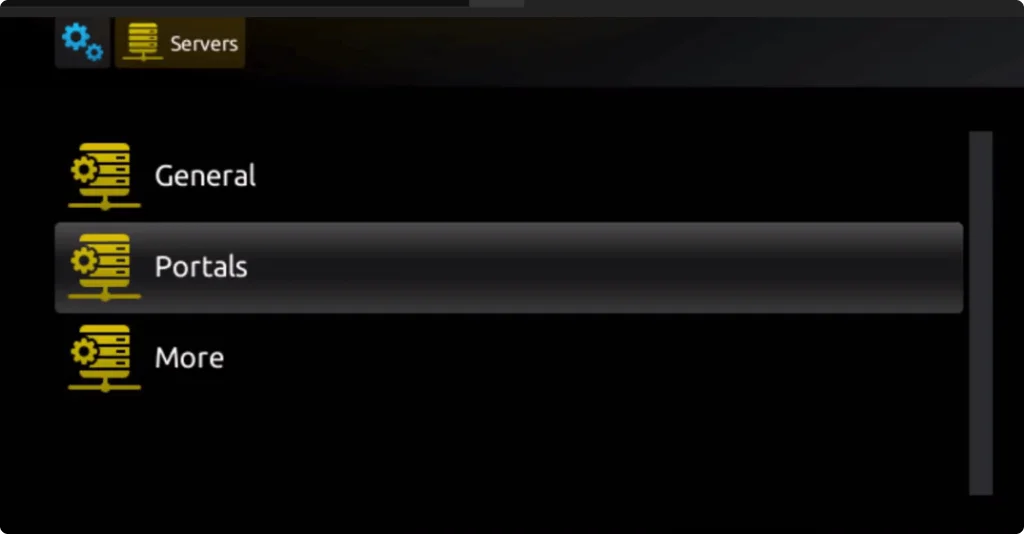
Step 4: Choose Portals
Step 5: Type the portal name and URL
Fill in the first two fields and press OK to save:
| Field | What to type |
|---|---|
| Portal 1 name | 4K Empire (or any name) |
| Portal 1 URL | The portal address we sent you, exactly as written |
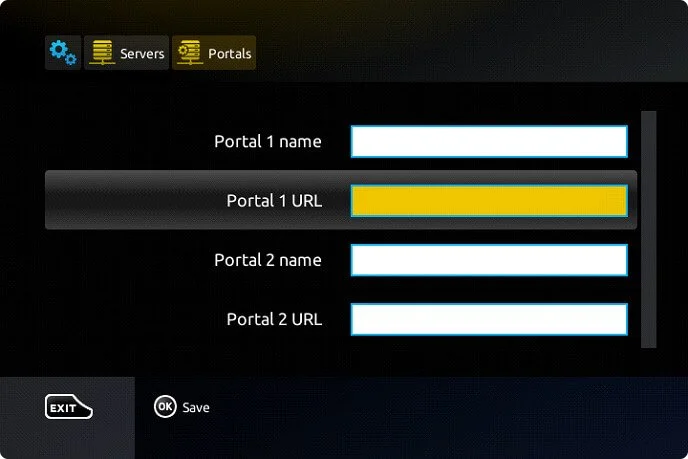
/c/. Take your time with the remote keyboard: a single wrong character stops the portal from loading.Step 6: Set the time server and restart
Press EXIT and open General in the same Servers menu. In the NTP server field, type ie.pool.ntp.org (the Irish time server) and press OK. Also check that the time zone is set to Europe/Dublin. The right time keeps your TV guide and catch-up in sync with Irish schedules.
Last step: go back to the main menu and restart the box. It will open your IPTV portal with all your channels and the TV guide.
Keeping a MAG box happy
- Use the cable. MAG boxes are built for wired connections, and that is where they shine.
- Set the time server to ie.pool.ntp.org with the Dublin time zone, so the guide matches the real schedule.
- Keep a photo of the MAC address. Your account is linked to it, so you will need it if you ever replace the box.
Common MAG box problems and how to fix them
MAG boxes are reliable once set up, but a few messages come up again and again. This is what they usually mean:
| What you see | Likely cause | What to do |
|---|---|---|
| Portal stays on "Loading…" | Wrong portal address or no internet | Check the portal URL, then reboot the box from Settings |
| "STB blocked" or "Access denied" | MAC address not linked to your account yet | Send us the MAC address on the back of the box |
| Channels play, guide empty | Time zone or guide not refreshed | Set the time zone to Europe/Dublin and reload the portal |
| Picture freezes | Weak Wi-Fi or busy network | Use the Ethernet port on the MAG box |
Restart the portal properly
Many MAG issues clear with a proper reload. Go to Settings › Servers › Portals, check the address, save, then choose Reboot from the main menu. Unplugging the power for 30 seconds does the same job.
Why the MAC address matters
A MAG box logs in with its MAC address rather than a username and password. If you replace the box, the new MAC address must be linked to your subscription before it can play. Keep a photo of the sticker on the back so you always have it to hand.
MAG boxes only have a small number of apps. If you want more choice, an Android TV box runs TiviMate, IBO Player and other players.
Frequently asked questions
Where is the MAC address on a MAG box?
On the sticker under the box, or in Settings › System settings › Device info. It starts with 00:1A:79.
Why do I have to send my MAC address?
MAG portals identify your box by its MAC address instead of a username and password, so your subscription has to be linked to it.
Which NTP server should I use in Ireland?
Use ie.pool.ntp.org and set the time zone to Europe/Dublin. The correct time keeps the TV guide and catch-up in sync.
My portal will not load. What should I check?
Check the portal URL for typing mistakes, make sure your MAC address has been activated, then restart the box.
Why does my MAG box need its MAC address registered?
A MAG box logs in with its MAC address instead of a username and password, so that address has to be linked to your account first.
Where do I find the MAC address on a MAG box?
On the sticker under or behind the box, and in Settings › Device info. It looks like 00:1A:79:XX:XX:XX.
Not sure your device is up to it?
Tell us on WhatsApp what you are watching on and we will say honestly whether it will cope. The 24-hour free trial lets you check for yourself. See the plans, from €9.99 a month.
Get a Free TrialKeep reading

How to Set Up IPTV on Android TV, Android Box and Phone
One simple method for every Android device: TV, box, phone or tablet. Ready in about 5 minutes.
Read the guide →
How to Watch IPTV on Apple TV, iPhone and iPad
No browser and no sideloading on Apple TV? No problem. Set it up from the App Store in 5 minutes.
Read the guide →
The Best Android Box for IPTV in Ireland
Smart TV missing your IPTV app? Compare the Xiaomi TV Box S, Fire TV Stick 4K and Nvidia Shield.
Read the guide →